Universal Remote Control TV
- 4.5
- Rating
- 5.00M
- Installs
- Free
- Price
 Analysis by App-foxy
I tried Universal Remote Control TV as a practical replacement for the collection of remotes that tends to gather around a television. It is a free tools app from LeoStudio Global Ltd. designed to control a range of TV brands and streaming devices from one phone. That sounds simple, but the real question is not whether a phone can imitate a remote. It is whether the app makes everyday control easier than reaching for the original handset.
My answer is generally yes, especially when a remote is missing, damaged, or constantly slipping between sofa cushions. The app has a broad audience appeal, reflected in its 4.5 average from around 90 thousand ratings and more than 5 million installs. Still, I would not treat it as an automatic replacement for every setup. The quality of the experience depends on the television, the way the phone connects, and how much you value physical buttons.
What I considered before relying on it
When I test a universal remote app, I look beyond the number of supported brands. I want to know whether it solves a real problem quickly, whether basic controls are easy to find, and whether switching between devices feels manageable. I also pay attention to the situations where a traditional remote remains more convenient.
You May Also Like

 Blood Strike: 2.5 Anniversary
Blood Strike’s Loadouts Turn Every Drop Into a Tactical Gamble
A close look at Blood Strike’s custom loadouts: how fast access to signature weapons reshapes its battle royale rhythm, rewards preparation, and narrows the gap between fights.

 Pandora - Music & Podcasts
Pandora’s Music Is Easy to Start, but Harder to Recover
Pandora’s strength is its low-effort path from a seed to a station. Its weak spot is how much confidence it asks you to place in connection, setup, and quiet recovery.

 8 Ball Pool
 Is Built on Rivalries, Rematches, and Routine
A close look at the rivalries, rematches, shared routines, and unanswered safety questions that turn a quick pool match into a persistent mobile community.

 Samsung Music
’s Quiet Strength Is Playing What You Already Own
Its reach comes less from spectacle than from dependable access to a personal library. That simplicity is both the app’s strongest retention engine and its ceiling.

 AccuWeather: Weather Radar
AccuWeather Review: A Quick, Clear Forecast for Everyday Decisions
For everyday plans, the best forecast is the one you can understand quickly. AccuWeather makes rain timing, radar, and local conditions easy to act on, with a few trade-offs.

 Hill Climb Racing
Why Hill Climb Racing Still Turns Crashes Into One More Run
A tiny car, a bumpy hill and one more upgrade: Hill Climb Racing keeps resurfacing because its simple chaos makes every near-miss feel personal.
More From Our News Desk



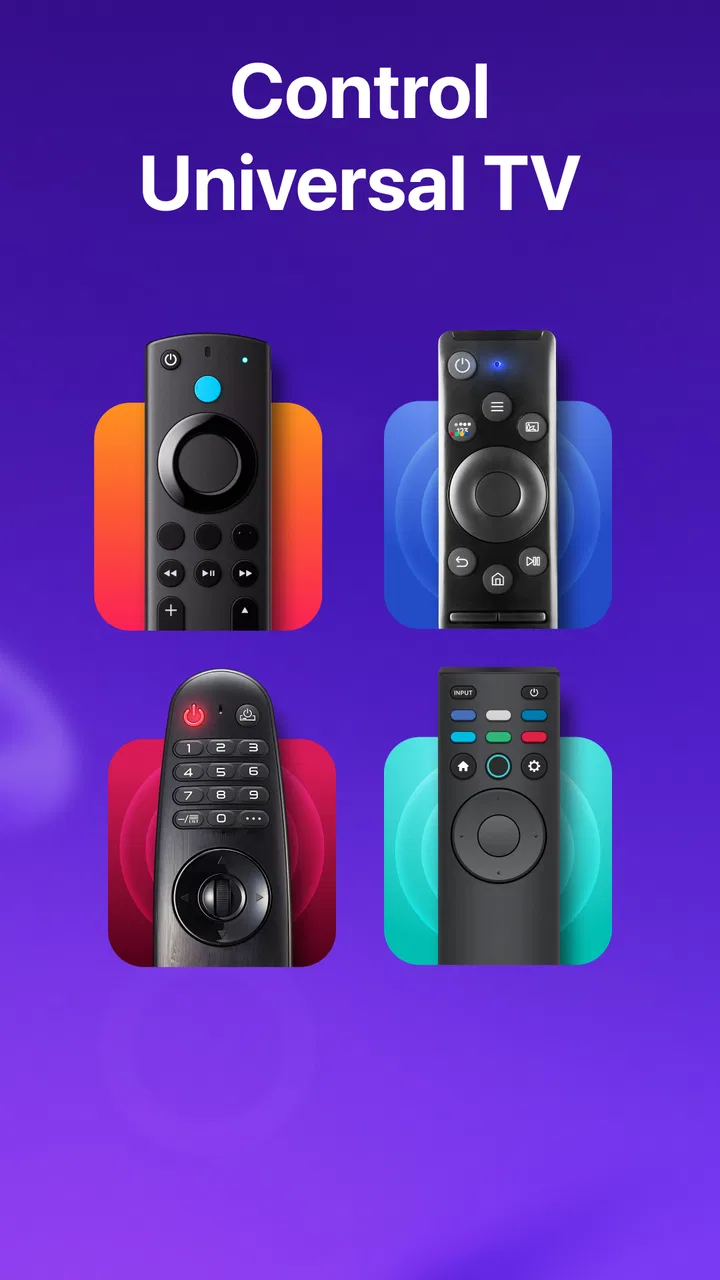
Universal Remote Control TV is aimed at TVs and related devices from Roku, Samsung, Fire TV, LG, Insignia, Hisense, Sony, and TCL. That list makes it more useful than an app built around only one manufacturer, particularly in a home where the television and streaming hardware come from different companies. The store summary presents it as a remote for those devices, while the short description keeps the idea straightforward: a universal remote on the phone.
The first decision is compatibility. A supported brand name is encouraging, but it does not guarantee that every model behaves identically. Before depending on the app for a guest room, rental property, or shared family television, I would test the connection and the controls that matter most: power, volume, input selection, navigation, and playback. A remote that handles only a few functions well may still be useful, but it should not be treated as a complete substitute until those essentials work.
The second decision is convenience. A phone is usually nearby, but it may be locked, charging, or being used for something else. A physical remote is always ready for a quick volume adjustment. On the other hand, a phone-based controller is much easier to find when the original remote has disappeared. That trade-off is central to this app: it replaces the need to keep several pieces of hardware in reach, but it makes the phone part of the viewing routine.
The third decision is cost. The app is free to install, which makes it easy to try before committing to a replacement remote. It also includes in-app purchases ranging from $1.99 to $26.99 per item. I would therefore test the free experience first and decide whether the controls justify any optional spending. For a television that is used occasionally, buying a physical replacement may be more sensible; for a frequently used shared screen, the convenience can be worth exploring.
How the setup fits into a normal home
I found the most sensible approach was to treat setup as a short compatibility check rather than assuming the app would work instantly. Keep the original remote nearby, open the app, choose the relevant device or brand, and verify the core buttons before putting the old remote away. This avoids a frustrating situation where the television is left on the wrong input and the phone controller has not yet been confirmed.
That small preparation is one of my more important tips. Test input switching early. Volume and channel controls are easy to notice, but input selection is often the function people need when moving between a television interface, a streaming stick, and a game console. If that button is missing, awkward, or unreliable for your setup, the app may not replace the original remote as completely as you hoped.
I would also give the app a clear place on the phone rather than searching for it every time. A home-screen shortcut makes a bigger difference than it sounds, because the benefit of a remote app is reduced if opening it becomes a chore. Families may also want to agree on which phone will be the main controller. Without that habit, everyone may assume somebody else has the remote app ready.
The app is available for devices running Android 7.0 or later, so it is not limited to the newest phones. Its current version is 1.6.57, and it carries an Everyone content rating. Those details make it approachable for households with older compatible Android devices and for people who want a straightforward utility rather than an entertainment app.
Where this app is especially useful
The strongest use case is a missing remote. I have had the familiar experience of finding the television but not the controller, then discovering that the replacement is hidden under a cushion or in another room. A phone-based option can get the screen usable again without immediately buying hardware. That is particularly handy for a spare television that is not used every day.
It is also useful when one room contains several control problems. A television may have its own remote, a streaming device may have another, and the sound system may add a third. Even if the app does not eliminate every handset, putting the television-related controls in one place can reduce the amount of searching. This is less about a flashy feature and more about reducing small interruptions during normal use.
Another practical scenario is a shared living room. One person may be watching a broadcast channel, another may switch to a streaming device, and someone else may need to adjust the volume. A universal phone remote can be passed between people without hunting for a particular branded controller. The downside is that the person holding the phone temporarily becomes the gatekeeper of the controls, so this arrangement works best when the household is comfortable sharing access.
I can also see value for people who prefer a larger, more visible control surface than a tiny physical remote. A phone screen can make it easier to identify what each button does, especially for someone who finds several nearly identical remote buttons confusing. That does not mean every interface choice will suit every user, but the phone format can be less intimidating than a crowded hardware remote.
The most useful habit is to confirm the controls you actually use before judging the app. Do not stop after checking power and volume. Try navigation, back, home, input, mute, and playback. A controller can feel excellent during a quick test and still disappoint during a full evening of switching between sources.
Where the universal approach wins
The main advantage is consolidation. Instead of remembering which remote belongs to which device, I can start with one app and see whether it covers the equipment that matters. That is especially attractive for households using brands such as Samsung, LG, Sony, TCL, Hisense, Insignia, Roku, or Fire TV. The app’s broad target range gives it a better chance of being useful in mixed-brand homes than a single-brand remote application.
It also lowers the barrier to trying a solution. Because the app is free, I can check whether my television responds before spending money on a replacement controller. That is a meaningful advantage over buying a universal hardware remote, where compatibility may not become clear until after purchase. The phone is already a familiar device, so there is no additional piece of equipment to store.
There is a less obvious benefit for temporary arrangements. If I am setting up a television in a guest room, moving between rooms, or helping someone troubleshoot a misplaced remote, a phone app is easier to carry than an extra hardware controller. It can act as a bridge while deciding whether a permanent replacement is worthwhile.
Another strength is flexibility across viewing habits. People who use a television mainly for streaming may appreciate having navigation and playback controls close at hand. Someone who changes inputs often may value a single place to try those commands. The app is not automatically better for these tasks, but its universal purpose makes it a reasonable first option when the household has no strong loyalty to one manufacturer’s remote app.
Where a different option may fit better
The original manufacturer’s remote app can be the better choice when your home is built around one brand and you want the most direct relationship with that television. A brand-specific app may feel more natural for a particular interface, especially if you already use the manufacturer’s ecosystem. I would choose that route when the universal app does not expose a control I use regularly or when the television’s own app offers a smoother connection.
A physical universal remote is still the safer choice for people who dislike using a phone while watching television. It is ready without unlocking a screen, does not compete with calls or messages, and can be left on a coffee table for everyone. It is also easier for children or guests who should not need to learn a phone app before changing the volume.
The original remote remains preferable when you need every device-specific function. Universal controllers usually focus on the common actions people use most, while a manufacturer’s handset may include specialized buttons or shortcuts. I would not discard the original until I had confirmed that the app handles the less obvious tasks in my routine.
There is also a human factor. If the television is shared by several people, relying on one person’s phone can create friction. A physical remote is visible and communal. With the app, someone may be using the phone for navigation, work, or a call. That does not make the app poor, but it changes the social cost of controlling the screen.
The switching cost people often overlook
Moving from a physical remote to a phone-based one involves more than installing an app. You need to build a new habit, confirm compatibility, and decide where the phone will be kept during viewing. The first few sessions can feel slower because you are learning where the controls are and remembering to open the app before reaching for the missing handset.
There is also a reliability cost if the phone is unavailable. A low battery, a locked screen, or another person carrying the device can interrupt control. My advice is to keep the original remote as a backup until the app has proved itself over several normal viewing sessions. That is not a criticism unique to this product; it is simply the practical weakness of turning a personal device into shared household equipment.
In-app purchases are another reason to evaluate the experience carefully. The app costs nothing to download, but optional items can range from $1.99 to $26.99. I would not pay for extras merely because the app is convenient in principle. First decide whether it reliably controls your television and whether the additional value is meaningful for your routine. A free trial of usefulness is more important than the promise of having every possible control.
Privacy and attention are worth considering in a broader sense, too. A physical remote has one job. A phone brings notifications, messages, and other distractions into the viewing experience. If I want a quiet film night, using a phone can make it easier to drift into unrelated tasks. For people who already find their phone distracting, a hardware remote may be the better lifestyle choice even if this app works well technically.
Small techniques that improve the experience
I recommend testing the app in the same room and under the same conditions in which it will normally be used. A quick test beside the television may not reveal the inconvenience of controlling it from a sofa or another seat. Try the controls from the usual viewing position, then check whether the most-used actions can be reached without excessive tapping.
For a mixed-device room, write down a simple order of operations in your own routine: wake the television, select the correct input, open the streaming device, and adjust volume. Then test that sequence rather than isolated buttons. This reveals whether the app fits your real workflow. A remote can perform each action individually yet still feel awkward when used as a sequence.
I would also avoid judging the app by one rarely used television. If you have several screens, test the one that creates the most inconvenience when its remote is missing. That is where a universal controller has the clearest chance to earn its place. A spare bedroom television may not justify any setup effort, while a living-room screen used every day probably does.
Finally, keep expectations realistic about the word “universal.” It means the app is intended to cover multiple brands and device families, not that every television will offer exactly the same layout or behavior. The more unusual your setup, the more important it is to verify the controls you depend on. This is the difference between a useful backup and a complete replacement.
Who should install it, and who should skip it
I would recommend trying Universal Remote Control TV if your original remote is lost, if you regularly switch between supported television and streaming brands, or if you want a no-cost way to test phone-based control before buying hardware. It is also a sensible choice for an older compatible Android phone that needs a simple household utility.
I would be more cautious if your television has many specialized functions, if several people need immediate access to the controls, or if you strongly prefer a device that is always ready without a screen. In those cases, the original remote or a physical universal controller may be less frustrating. The app is not a replacement for personal preference, and convenience on paper does not overcome a poor fit in daily use.
People who rarely use their television may also find the setup unnecessary. If the original remote is always available and the screen is turned on only occasionally, installing another controller adds little. The app earns its place when it solves a repeated problem, not simply because it can control a television.
My recommendation after using it as a decision guide
Universal Remote Control TV is a worthwhile first attempt for anyone who wants to turn an Android phone into a multi-brand television controller. Its free entry point, wide brand focus, and simple purpose make it easy to test. The strong user response, with around 90 thousand ratings and an average of 4.5, also suggests that the basic idea works for many people.
I would install it, test the main television from the normal viewing seat, and keep the original remote nearby until power, volume, navigation, input, and playback all behave as expected. If those controls fit your routine, the app can remove a surprising amount of household clutter. If they do not, switching to a brand-specific app or physical remote is the sensible move rather than forcing the universal option.
My final view is favorable but practical: this is best treated as a convenient replacement or backup, not a promise that every television setup will feel identical. For a lost remote, a mixed-brand room, or a household that already keeps phones close, it is an easy recommendation to try. For shared spaces that demand instant, screen-free access, a physical controller still has the advantage.
With its Everyone rating, Android 7.0 minimum, free download, and current version 1.6.57, the app is approachable for a broad range of users. I would start without purchasing anything, confirm that it handles the controls I actually need, and only then consider whether any optional in-app purchase adds enough value. Used that way, Universal Remote Control TV is a sensible tool with a clear benefit and equally clear limits.
FAQs for Universal Remote Control TV
01What devices are compatible with Universal Remote Control TV?
Universal Remote Control TV is designed to work with a wide range of smart TVs and streaming devices. It typically supports brands such as Samsung, LG, Sony, and Roku, among others. However, compatibility can vary, so it's advisable to check the app's description for a detailed list of supported devices before downloading.
02How do I set up Universal Remote Control TV with my television?
Setting up Universal Remote Control TV is a straightforward process. First, ensure your smartphone and TV are connected to the same Wi-Fi network. Open the app, and it will automatically search for compatible devices. Follow the on-screen instructions to pair the app with your TV. Some TVs might require a pairing code, which will be displayed on your TV screen.
03Does Universal Remote Control TV require an internet connection?
Yes, Universal Remote Control TV generally requires an internet connection, as it uses Wi-Fi to communicate with your television or streaming device. An active internet connection ensures the app can search for devices and download any necessary updates. However, some features might work offline if your device supports infrared (IR) blaster capabilities.
04Is Universal Remote Control TV free to use?
Universal Remote Control TV is usually free to download and use, but it may offer additional features through in-app purchases or subscriptions. These premium features might include ad-free usage, customized remote layouts, or enhanced device compatibility. Be sure to check the app's details in the store for any costs associated with these extras.
05What should I do if Universal Remote Control TV is not working with my device?
If Universal Remote Control TV is not functioning properly, first ensure your phone and TV are on the same Wi-Fi network. Restart both devices and try again. If the issue persists, check for updates in the app store or consult the app's support section. Compatibility issues can arise, so reviewing the app's FAQ or contacting customer support is recommended.
Pros
- Supports a wide range of TV brands.
- User-friendly interface and setup.
- Quickly switches between devices.
- Customizable remote layout.
- Works with smart TVs and older models.
Cons
- May require internet for initial setup.
- Ads can be intrusive at times.
- Limited support for some soundbars.
- Occasional connectivity issues.
- Remote codes need manual input.

Universal Remote Control TV
Gallery